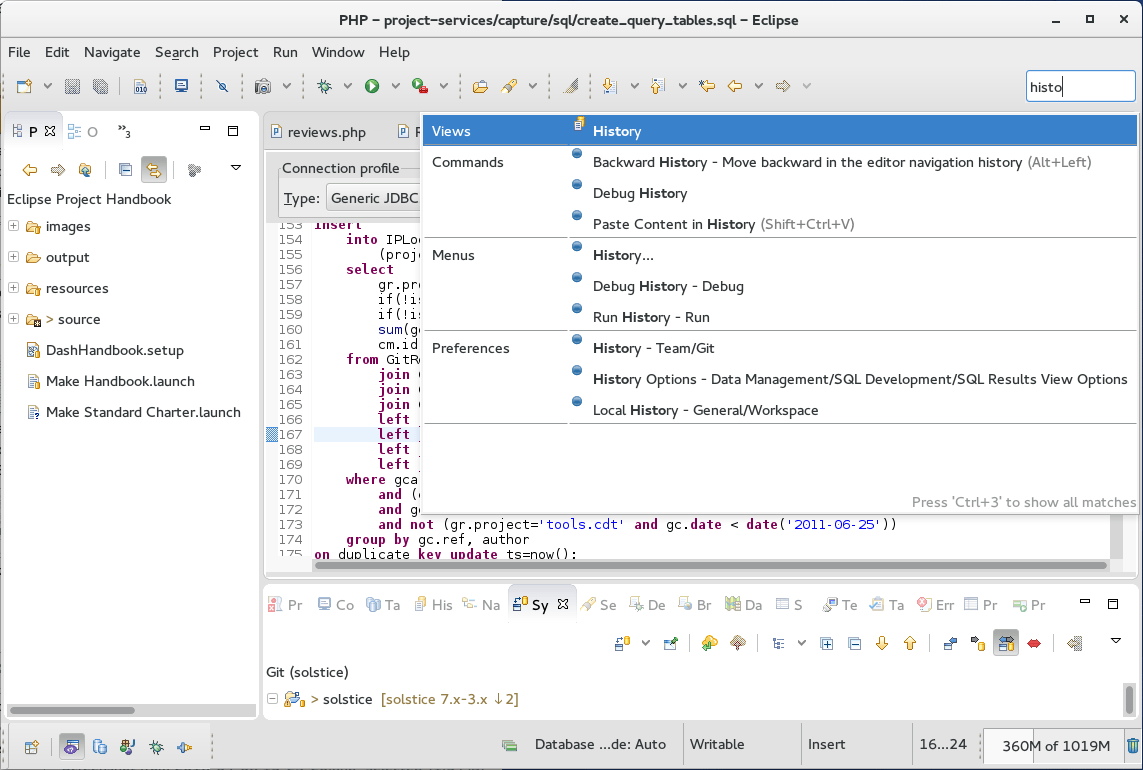
Eclipse IDE Overview
Eclipse IDE for Mac is a free, open-source development environment built around Java, with plugin support that extends it to nearly any language or workflow. It isn't a single download; the Eclipse Foundation offers several specialized packages, including Eclipse IDE for Java Developers, Enterprise Java and Web Developers, C/C++ Developers, and PHP Developers, each bundling the tools relevant to that workflow. The Java Developers package is the most widely downloaded and the one most people mean by "Eclipse IDE." Every package now bundles its own Java Runtime Environment, so you don't need to install Java separately first. Eclipse includes a built-in Git client, XML editor, and Maven and Gradle integration out of the box.
Why Choose Eclipse IDE for Mac
Most IDEs lock you into one language or workflow. Eclipse takes the opposite approach, starting as a core platform and letting plugins teach it how to handle Java, web development, C/C++, or PHP, depending on which package you install. That flexibility is why Eclipse has stayed relevant for decades across very different types of development work.
It's worth setting expectations before installing, though. Getting Eclipse configured well isn't trivial or easy, and getting real value out of it means spending time in the Marketplace finding the right plugins for your workflow. Most users report it keeps delivering results once configured, but the setup phase asks more of you than a lighter, single-purpose editor would.
Key Features
- Multiple specialized packages for Java, Enterprise Java/Web, C/C++, PHP, and more
- Built-in Git client for version control without extra plugins
- Maven and Gradle integration for Java build automation
- XML editor included by default
- Eclipse Marketplace for browsing and installing thousands of plugins
- Bundled Java Runtime Environment, so no separate Java install is required
- Support for both Intel and Apple Silicon Macs
- Long-established plugin ecosystem covering nearly any development workflow
- Active Eclipse Foundation development with regular scheduled releases
What's New in 2025.12 Version
Recent Eclipse IDE releases focus on packaging and platform improvements. Recent changes include:
- All packages now bundle a Java Runtime Environment automatically
- Continued native support refinements for Apple Silicon Macs
- Ongoing updates across the Eclipse Marketplace plugin ecosystem
- General platform stability improvements tied to the Eclipse Simultaneous Release schedule
- Since Eclipse ships on a regular scheduled release cycle through the Eclipse Foundation, checking the official release notes shows the most current, package-specific changes.
Supported macOS Versions
Eclipse IDE requires macOS 11 or later and is available as separate downloads for Intel and Apple Silicon Macs, depending on which package you choose. Since Eclipse relies heavily on installed plugins for real functionality, performance can vary more based on your plugin choices than on macOS version alone.
How to Install Eclipse IDE on macOS?
Setting up Eclipse IDE on your Mac takes a few steps.
- Download the Eclipse IDE package for Mac that matches your development needs.
- Open the downloaded disk image (.dmg) file.
- Drag the Eclipse icon into your Applications folder.
- Launch Eclipse from your Applications folder.
- Choose or confirm your workspace folder when prompted.
- Once installed, you can create a new project and start browsing the Marketplace for additional plugins right away.
How to Use Eclipse IDE Mac?
- Open Eclipse and select or create a workspace folder for your projects.
- Create a new project using the wizard for your chosen language.
- Use the built-in Git client under the Git perspective for version control.
- Browse the Eclipse Marketplace to add plugins for tools you need.
- Use Maven or Gradle integration if your Java project relies on either.
- Build and run your project directly from the toolbar.
Final Verdict
Eclipse IDE earns its long history through sheer flexibility, offering specialized packages and a massive plugin ecosystem that stretches well beyond its Java roots. That flexibility comes with a real setup cost, since getting the most out of it means spending time configuring plugins through the Marketplace rather than working productively out of the box. For developers willing to invest that setup time, especially in Java-heavy or enterprise environments, Eclipse remains a capable, free option on Mac.
Download Eclipse IDE for Mac Latest Version
Ready to set up a free, extensible development environment on your Mac?
Download Eclipse IDE for Mac to get a Java-focused development environment with built-in Git, Maven, and Gradle support, plus access to thousands of Marketplace plugins. Whether you're building Java applications, enterprise web projects, or C/C++ software, Eclipse gives you a free, long-established IDE you can extend to fit your exact workflow.